The Implicit Desktop App is typically installed by your IT administrator, but you can install it yourself if you have permission to install software on your desktop.
If you do not have such permissions, please ask your admin to install it for you as described in the installation guide – Admin Installation.
Downloading and Installing the App
Please click the button below to download the Implicit Desktop App.

This will launch a browser window and start the download:
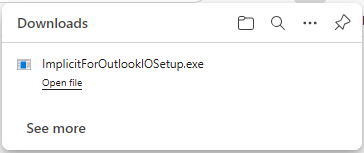
Upon completion of the download, click ‘Open File’ to launch the installer, and follow the installation process described in: Installing Implicit Desktop App on your desktop.
At the end of the installation, the app will be launched, and you will be prompted to link your Microsoft 365 account to your intelliflo office account. Please follow the instructions described in: Linking your Microsoft 365 and intelliflo office accounts section of the user guide.